The Car Has Been Taking Notes: A Privacy Walkaround for UK Drivers
Most of us treat the car as a private bubble. You shut the door, put the radio on and get on with the school run, the commute or the tip run. But the modern car is less of a bubble and more of a smartphone with a handbrake. It pairs with your phone, remembers places, talks to the manufacturer's app and, in some cases, keeps a log of how and where you drive. None of that is automatically sinister. It is just worth knowing about, and worth a look every so often.
At TechyPure, we are not here to tell you to wrap your car in foil. The sensible approach is a short privacy walkaround, a bit like checking the tyres and the washer fluid. Twenty minutes now and then will do more than a hundred worried internet searches. Here is what to check, in plain English.
Start with the screen in front of you
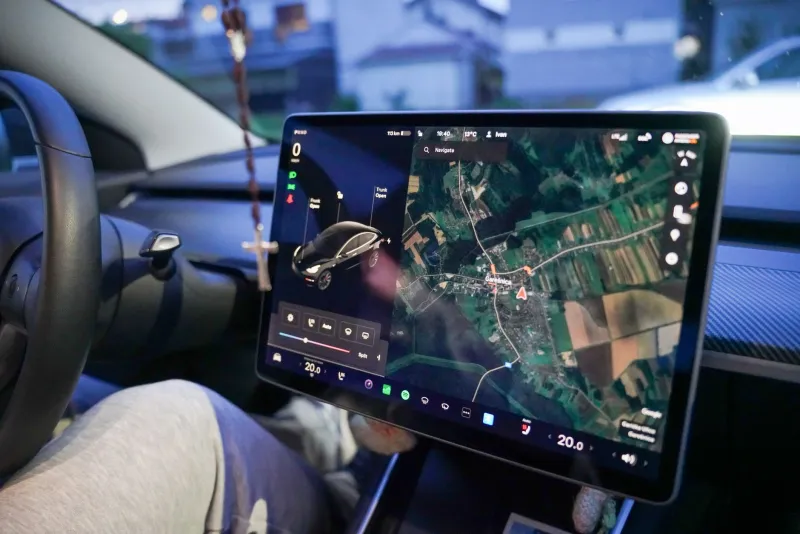
The infotainment system is the obvious place to begin. Menus vary wildly between makes, but look for headings such as privacy, data sharing, connected services, location or account settings. You are looking for three things: what the car records, what it sends back to the manufacturer, and what it shares with third parties.
Turn off anything you do not use. Personalised offers, usage analytics and marketing consent are easy wins. If the car offers a connected voice assistant, check whether it stores requests and whether you can clear them. Location history is another one to look at, especially if the car has built-in sat nav. Clearing previous destinations is quick, and it stops your home address sitting in the menu for the next person who borrows the car.
A word of warning: software updates can reset some of these choices. It is not a conspiracy. It is just how updates work. So make the privacy menu part of your routine, not a one-off.
Your phone is half the problem
When you pair a phone to a car, you often give it access to contacts, call history and messages. That is handy when you are driving, but it also means the car may store some of that information. Go into your phone's Bluetooth settings and look at the car's entry. Check what permissions it has. If you do not need messages read aloud, turn that off.
Then do the same in the car. Most systems have a list of paired devices. Delete old phones, especially those belonging to family members, former partners or anyone who has sold the car on. If you use Apple CarPlay or Android Auto, check the permissions in the phone settings too. Mapping apps, music apps and messaging apps can all be given more access than you intended.
The carmaker's app deserves a look
Many newer cars come with a companion app for remote locking, charging status or service bookings. These apps can be genuinely useful, but they also hold account details, location data and trip history. Open the app, go into the account or privacy section and see what is switched on.
If the app lets you share access with other drivers, check who is on the list. If it stores journey history, decide whether you need it. If it has marketing preferences, set them how you like. And if you have sold the car, make sure the vehicle is removed from your account. A car that is still linked to your app is a car that is still linked to you.
Parking apps and the paper trail
Parking and fuel apps are easy to forget because they live on your phone rather than in the car. They often know your location, your payment details and your number plate. Some keep a history of where you parked and when. That is fine if you are happy with it, but it is worth a periodic clear-out.
Check the permissions on each app. Does a parking app really need access to your contacts? Probably not. Does it need location all the time, or only while you are using it? Set it to the narrower option. Delete old vehicles from the app if you have changed cars, and remove payment cards you no longer use. If an app offers a guest checkout, use it when you are parking somewhere you would rather not have logged.
Dashcam footage is personal data too
A dashcam can be a brilliant bit of kit, but it records more than the road. It can capture number plates, faces, homes and conversations. Treat the memory card like you would a phone gallery. If you have saved footage of an incident, keep only what you need and store it securely. Do not casually share clips on social media unless you have a good reason and have thought about the people in them.
Before you sell the car, take the dashcam out and wipe the card. If the dashcam is built in, find the factory reset option and use it. If you are part-exchanging, do not leave a card full of your daily routes in the glovebox.
The wipe-down before you sell or part-exchange
This is the bit people skip. Before handing over the keys, do a proper digital clear-out. Remove your phone from the car's paired devices list, and remove the car from your phone. Sign out of any accounts in the infotainment system, including music and navigation apps. Clear sat nav history, saved destinations and home and work addresses. Check the carmaker's app and remove the vehicle. If there is a built-in dashcam or storage box, wipe it.
Finally, use the factory reset option in the infotainment menu. It is usually under settings, system or general. If you cannot find it, the handbook will tell you. It is a boring five minutes that saves a lot of second thoughts later.
A routine that sticks
You do not need to do this every week. Twice a year is plenty, perhaps when the clocks change or before a long trip. Check the car screen, the paired phones, the manufacturer's app and your parking apps. Wipe the dashcam card if you have one. Then forget about it until the next time.
Cars are only going to get more connected, and the data will keep growing. The good news is that most of the controls are already there. You just have to look.